Release Notes
Latest Accountberry Release
A major update focused on a refreshed experience, faster workflows, stronger automation, and better reporting across the platform.
Highlights
30+
Improvements across core modules
Major Focus
AI + UX
Faster workflows and smarter automation
General
Platform Updates
Core improvements across the app focused on visual consistency, speed, AI-powered workflows, and better output.
Full App Styling Revamp
The entire application has been refreshed with a cleaner, more modern, and more consistent visual experience.
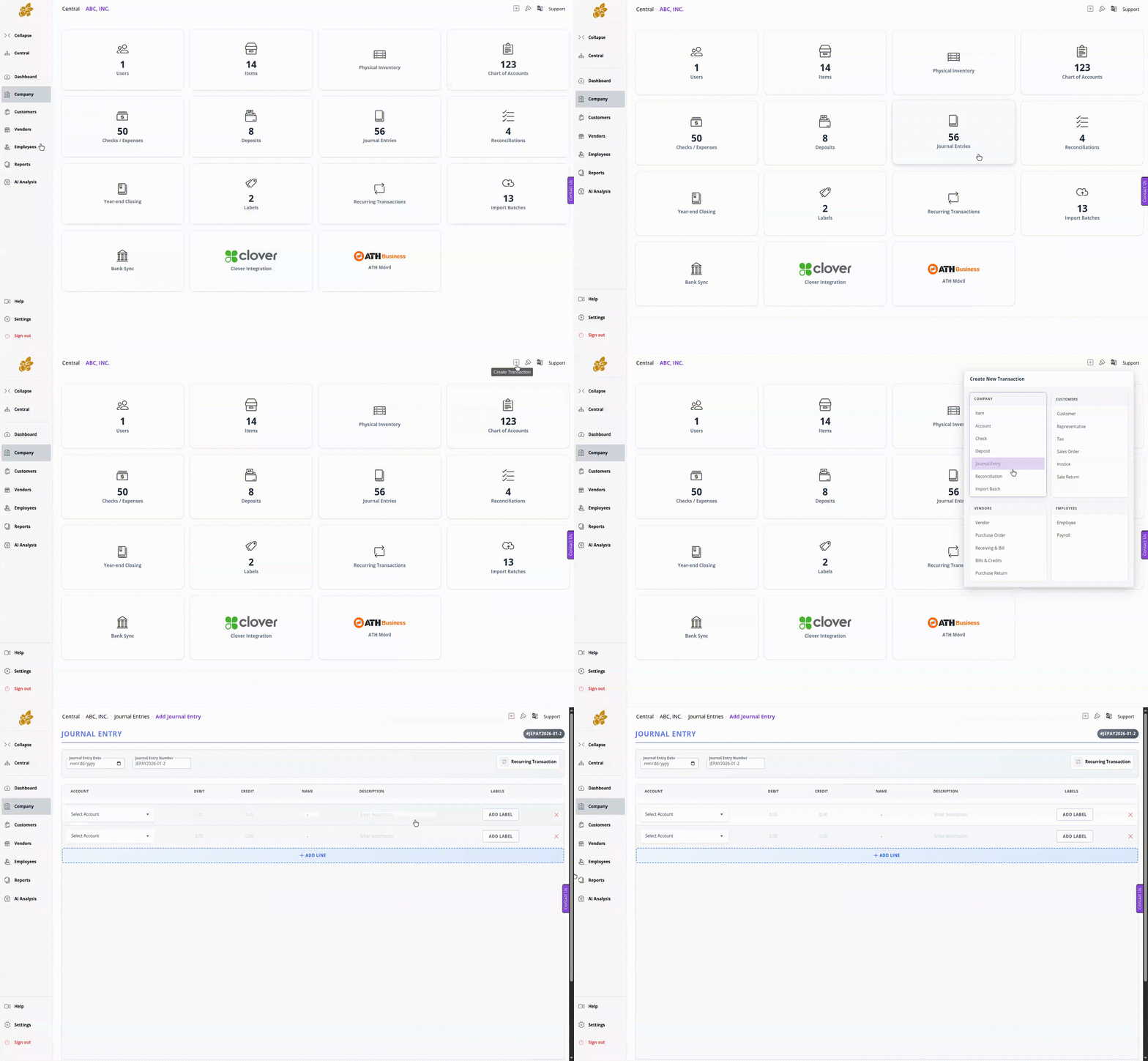
Quick Transaction Add
Create transactions faster with a lighter workflow designed for everyday bookkeeping.
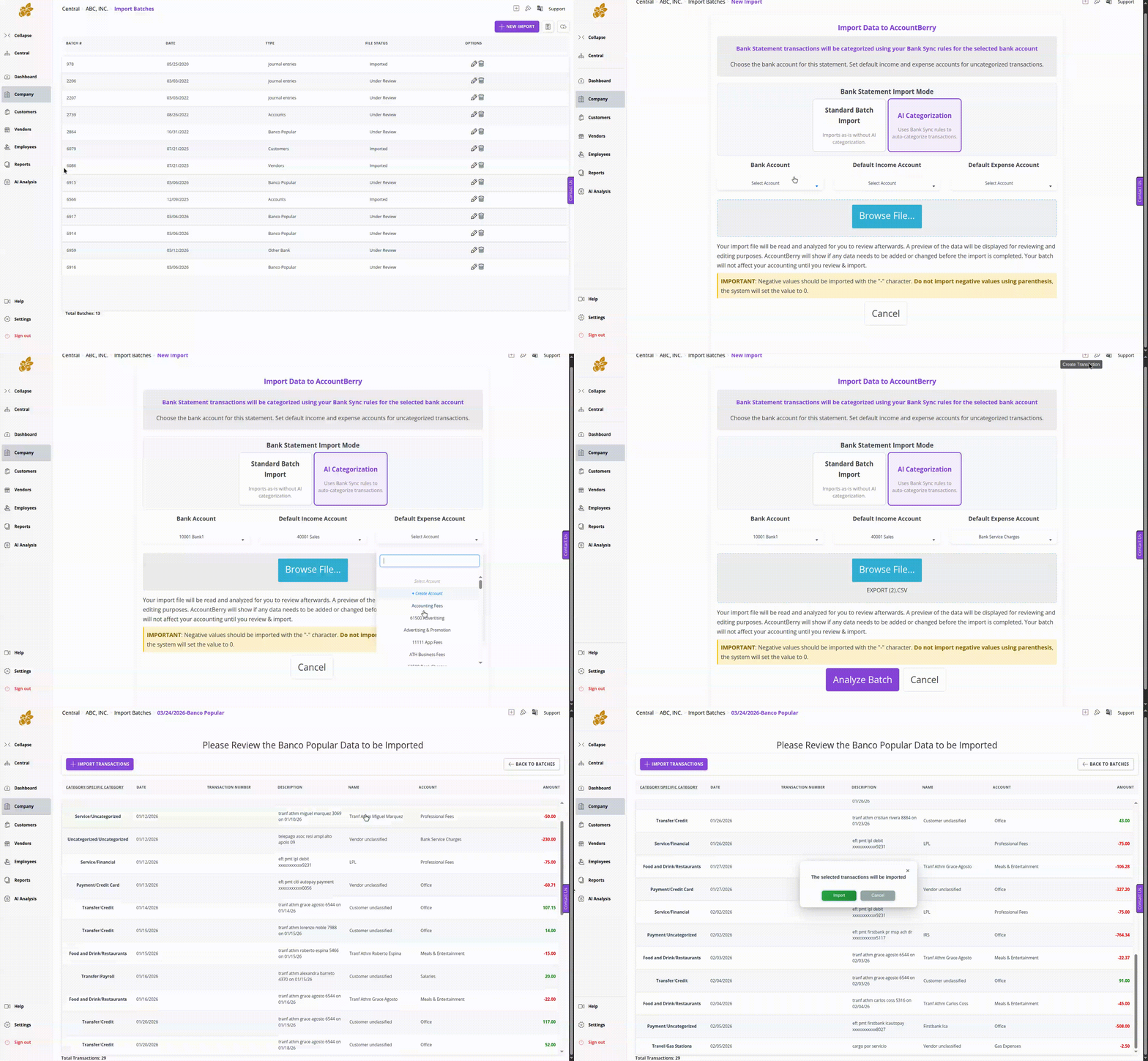
AI Categorization for Manual Bank Statement Import Batches
Imported manual bank statement batches can now be categorized with AI assistance to reduce repetitive cleanup.
Available on Gold Enterprise subscription plans.
Attach Files to Transactions
Supporting files can now be attached directly to transactions, including:
Available on Gold Enterprise subscription plans.
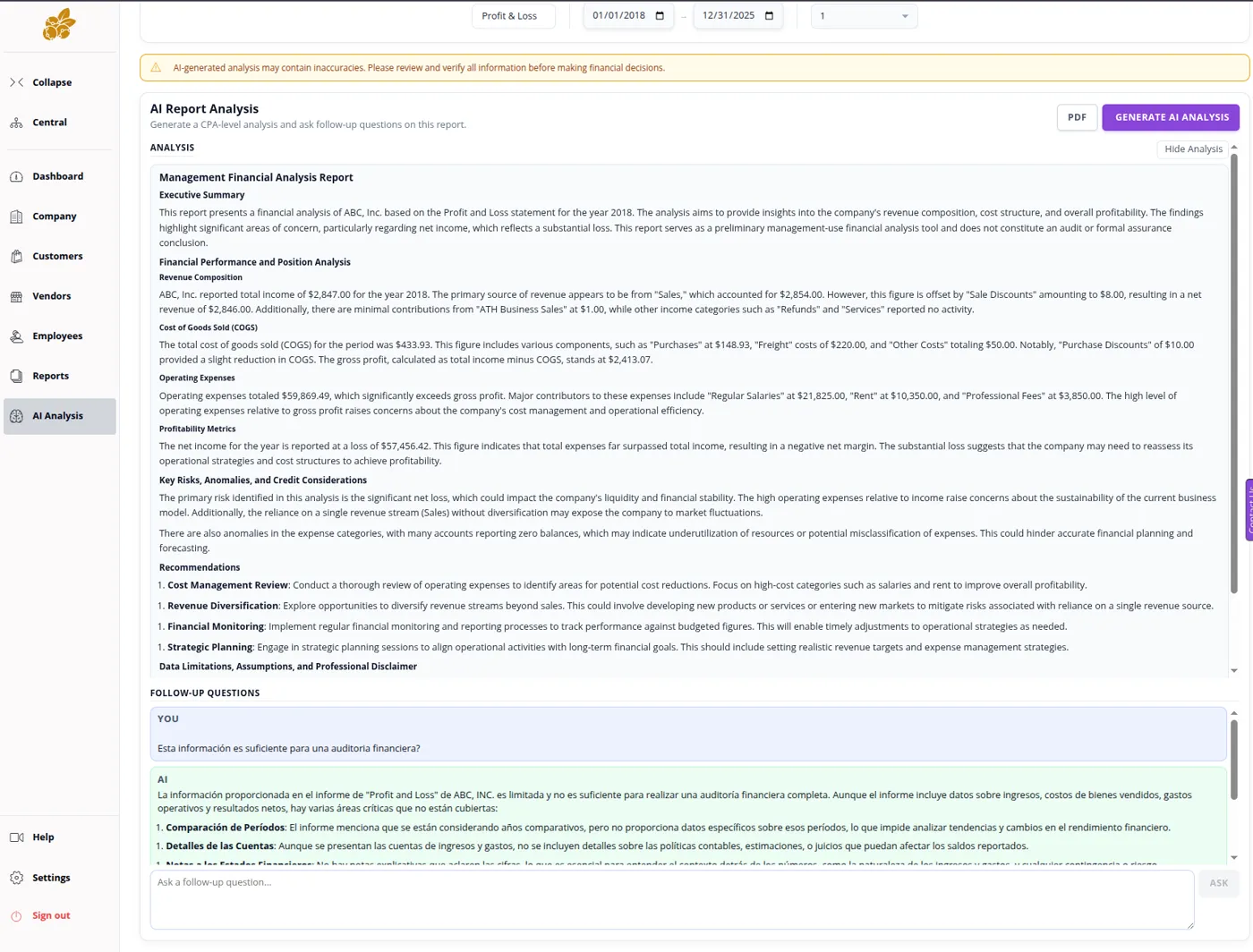
AI Analysis Module
A new AI-powered module helps users review information, analyze activity, and work with data more intelligently.
Limited-time beta testing access available to all subscription plans.
- Print changed to PDF generation: Output is now cleaner and more reliable across workflows.
- Improved print and PDF format for reports and tables: Better presentation and readability across exported output.
- New dashboard format: A redesigned dashboard surfaces information more clearly.
Customers
Invoices and Sales Orders
Invoicing received one of the largest upgrades in this release, with stronger formatting, more flexibility, and better day-to-day workflow tools.
Customer-Facing and Internal Invoice Improvements
- Default footer message on invoices: Separate from the memo field for more flexible communication.
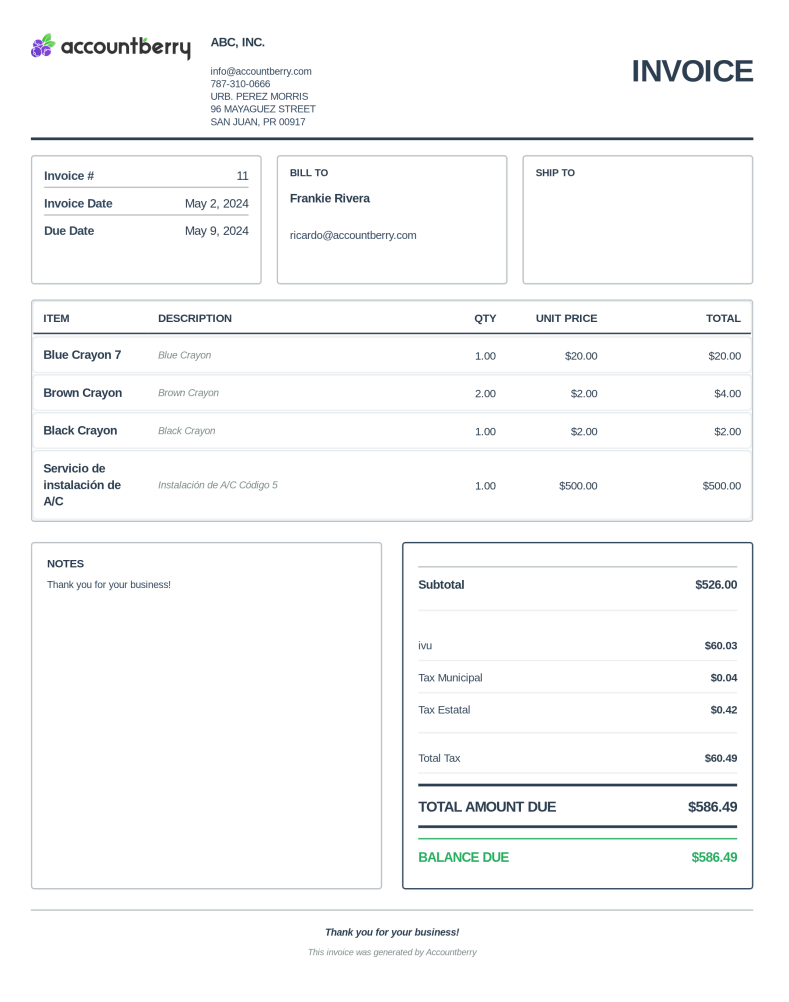
- Major invoice and sales order style upgrade: A more polished and professional presentation.
- Optional divided subtotals: Choose whether invoices show separate subtotals for products and services.
- Internal Notes: Visible only to company users and never shown to customers.
- Representative filtering in the invoice table: Review invoice activity by representative more easily.
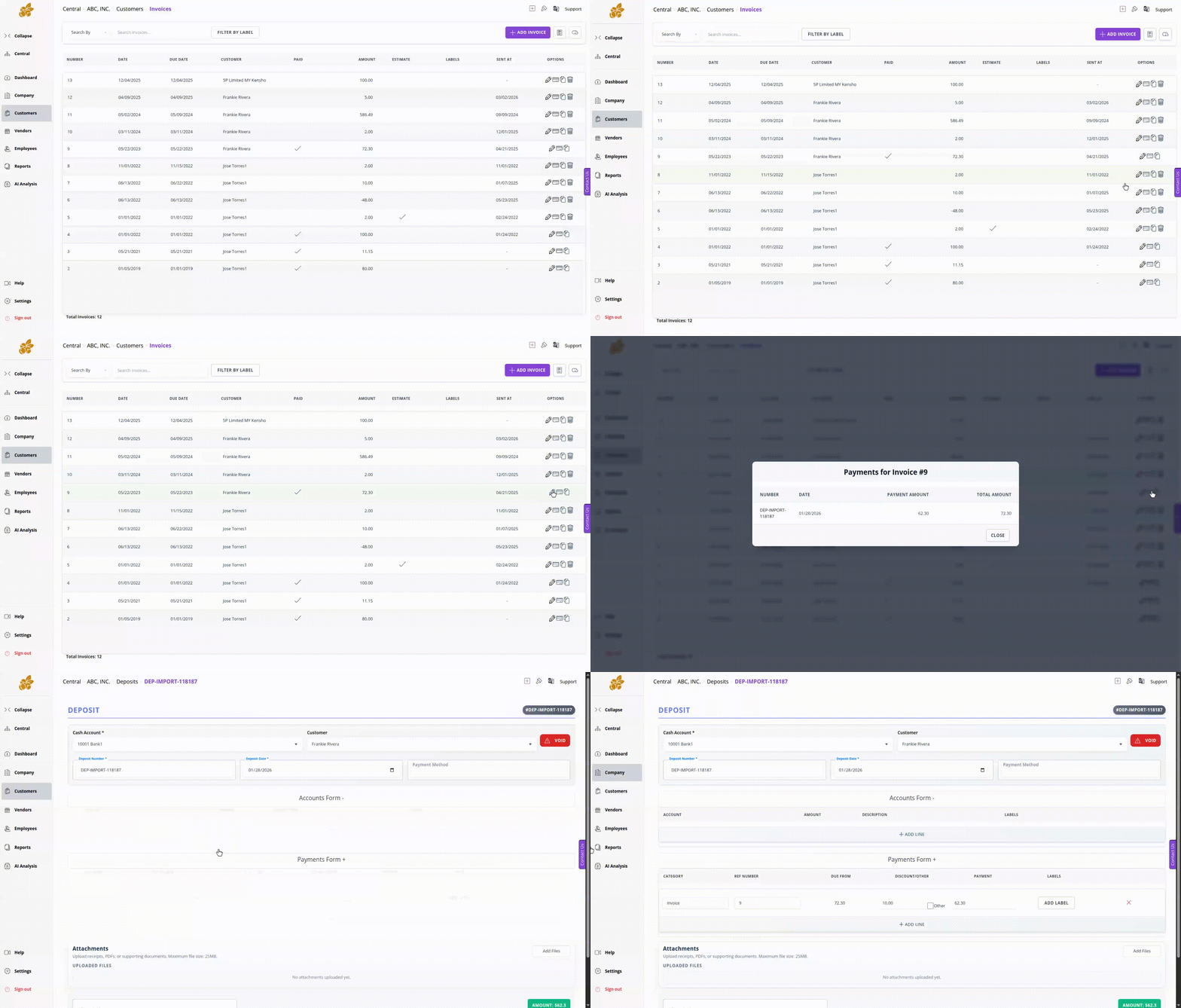
- Invoice Payments view: Quickly review payment status directly from the invoice table.
- Create representatives from the dropdown: Add new representatives without leaving the workflow.
- Edit item descriptions directly on invoices: Faster inline adjustments during billing.
- Company phone number on invoices: Display contact information directly on customer-facing documents.
Invoice Payments View
The invoice table now includes a dedicated payments view, making it easier to review status and payment activity at a glance.
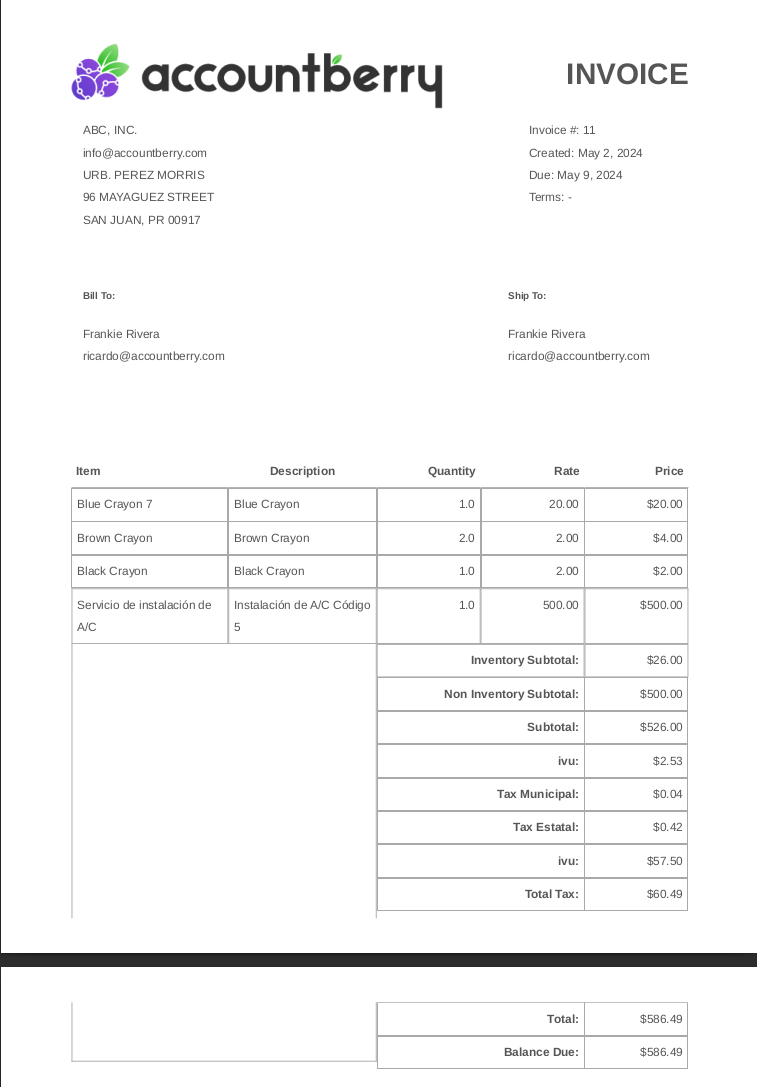
Before and After: Invoice Redesign
The invoice layout has been redesigned to improve presentation, clarity, and overall professionalism.
Vendors
Purchasing and Bill Processing
Vendor workflows are now more polished and more efficient, especially around purchasing documents and bill entry.
Vendor Updates
- Major upgrade to Purchase Orders, Receiving & Bill, and Bills format: Cleaner print and PDF presentation across vendor documents.
- Upload bill PDF and auto-populate information: The system can extract bill details to reduce manual entry. Available on Gold Enterprise subscription plans.
Employees
Payroll and Stub Updates
Payroll stubs are easier to distribute and now present more complete information in a cleaner format.
Employee Updates
- Send payroll stubs directly to employees: Send from payroll and from the stub report without extra export steps.
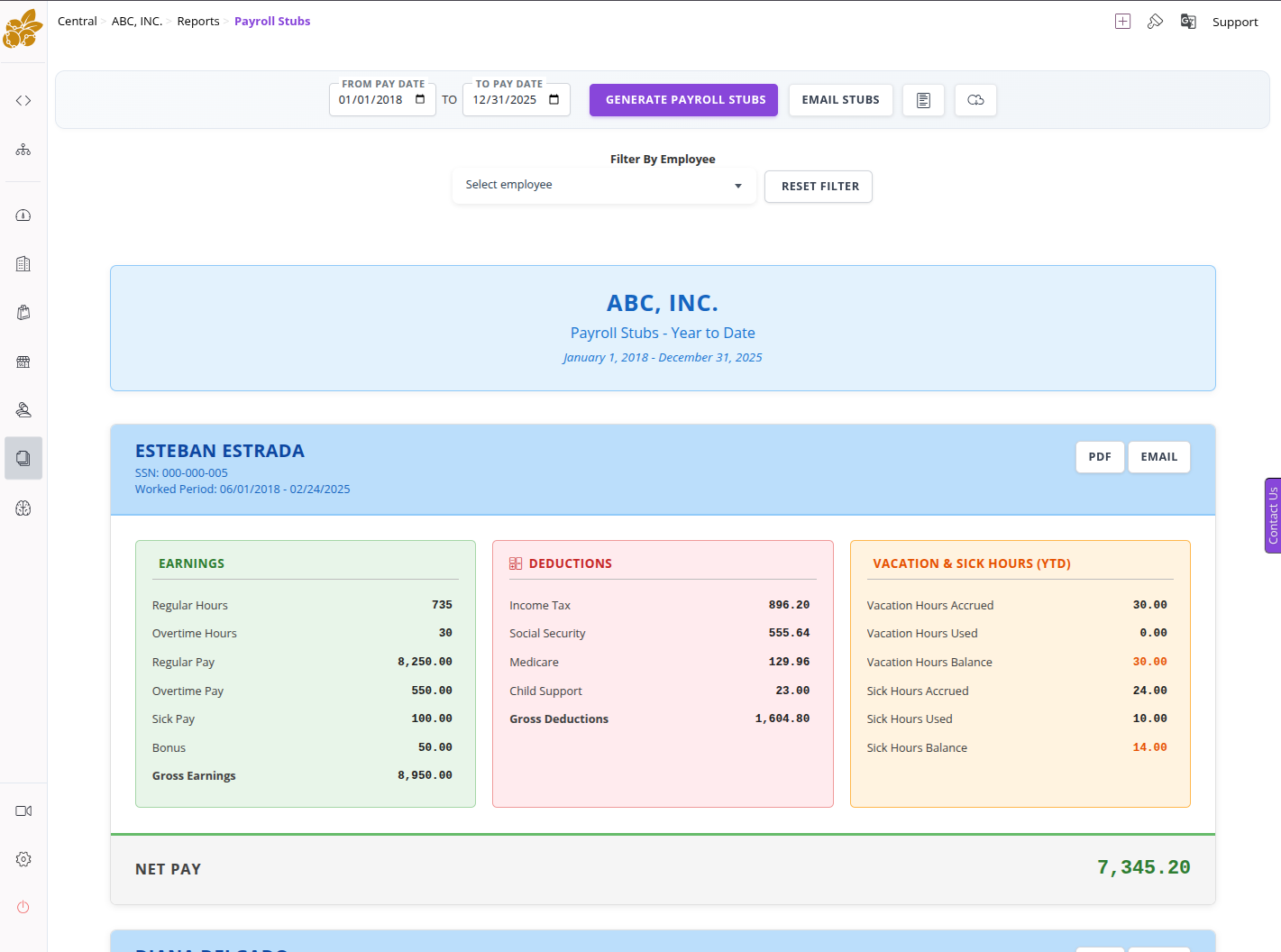
- Major payroll stub report style upgrade: A cleaner and more polished stub presentation.
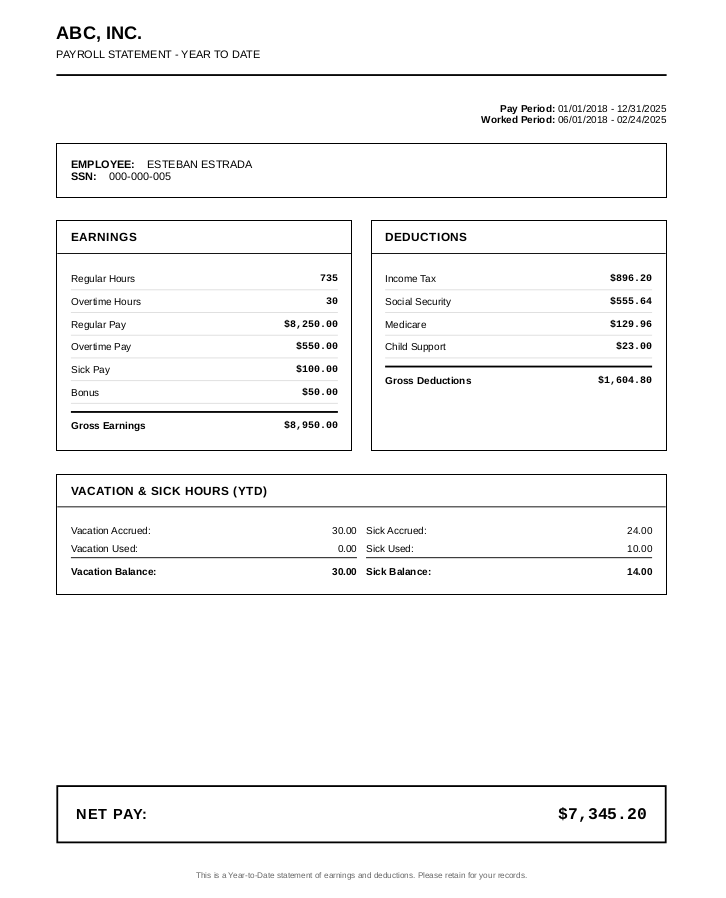
- Gross values added to payroll stubs: Give employees a fuller picture of total compensation.
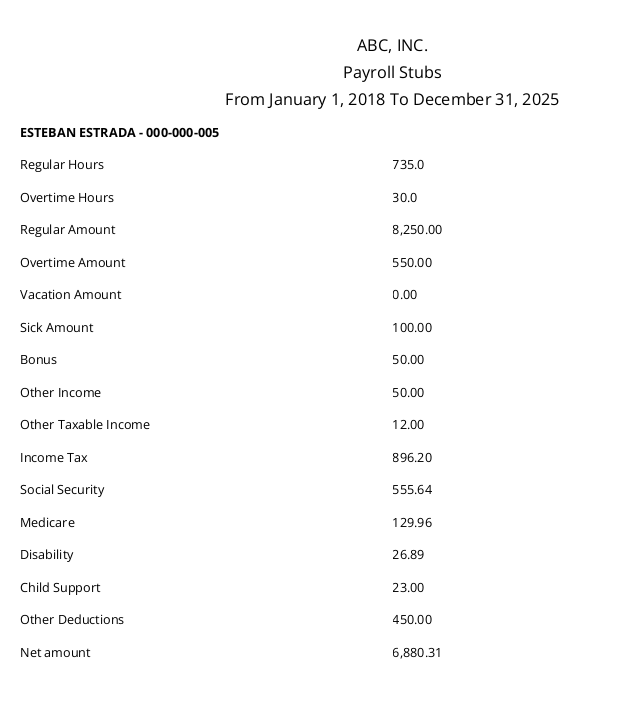
Before and After: Payroll Stub Redesign
Payroll stubs now have a cleaner layout and a more polished presentation for employees and administrators.
Reports
Reporting Improvements
Reporting has been enhanced with stronger formatting, new report types, and better visual output.
Reporting Updates
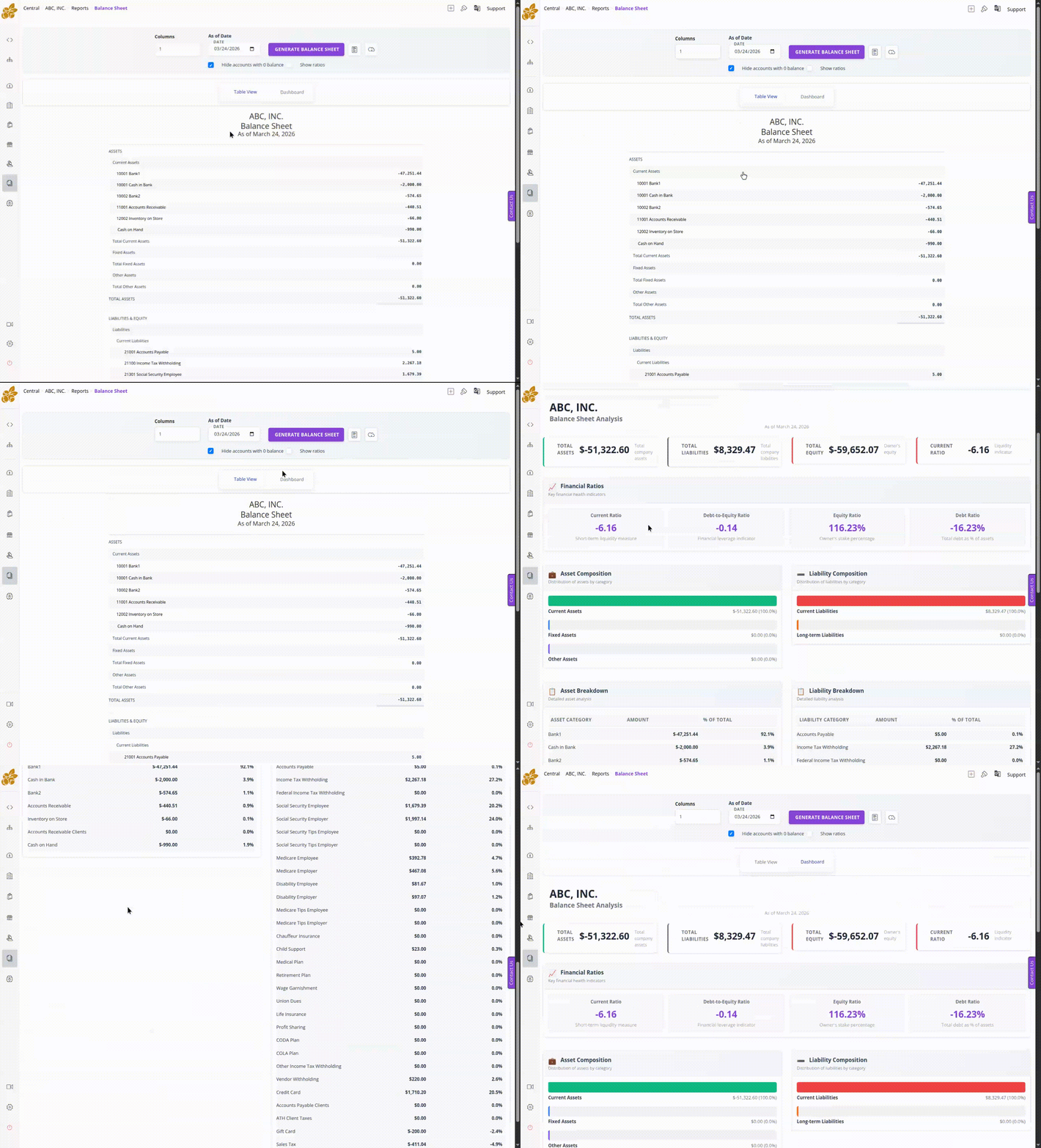
- Dashboards added to reports: A more visual way to review information before diving into details.
- Better format for Employee Earnings Detail: Improved readability and presentation.
- New Representatives Transactions report: Better visibility into representative activity.
- Improved overall look and presentation of reports: More polished formatting across report output.
Balance Sheet Report Preview
Reports now have a stronger visual presentation, with cleaner layout and more polished exported output.
Payroll Stub Report Preview
Payroll-related reporting has also been refreshed with clearer structure and a more professional presentation.
Explore the latest version
These release notes cover the major improvements included in the newest Accountberry update.